How to use the Academy
Short instructions for the key features, from your first build to patch notes.
Navigation and interface
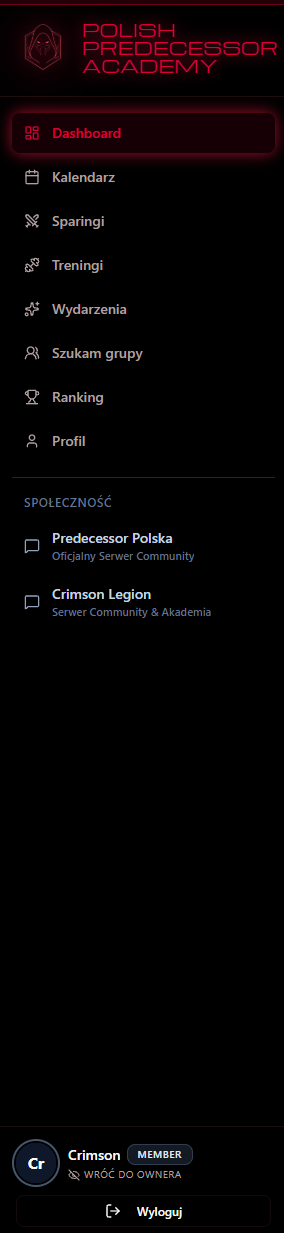
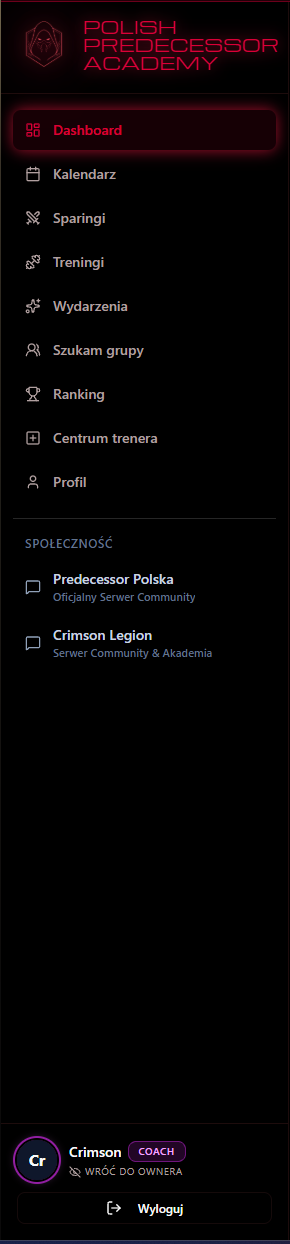
The platform adapts to you. Depending on your role in the community, you'll see the relevant options in the left navigation panel.
- For players (MEMBER): Access to the Dashboard, Scrims, Trainings, Events, Builds, Knowledge base and the LFG system. Your game management hub.
- Admin zone (COACH/ADMIN): An extra Training Center panel for managing all platform logic and events.
Automated profile
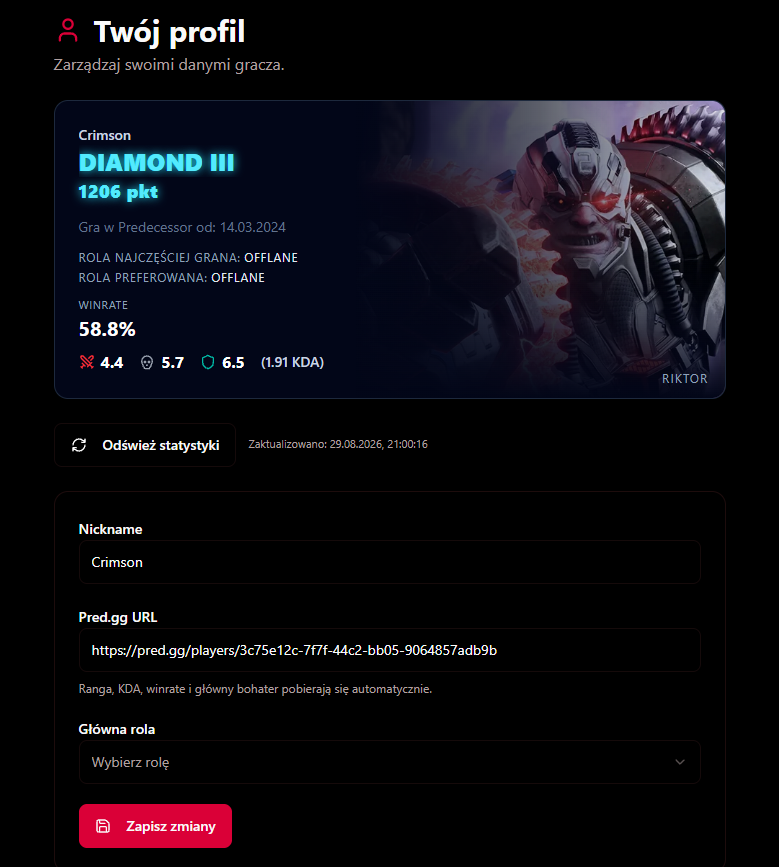
No more typing your rank by hand! Our platform is fully integrated with the Omeda API (pred.gg).
- Click your profile picture to upload a JPG, PNG or WebP up to 5 MB, or choose a hero portrait. The picture is cropped to a square.
- Initials replace a missing picture; the avatar ring reflects the player's current rank.
- Your rank, MMR (VP), win rate and KDA update automatically.
- The system detects the hero you played most in the current ranked split.
- All you need to do is set your Main role — it's required to join role-locked scrims.
Command center (Dashboard)
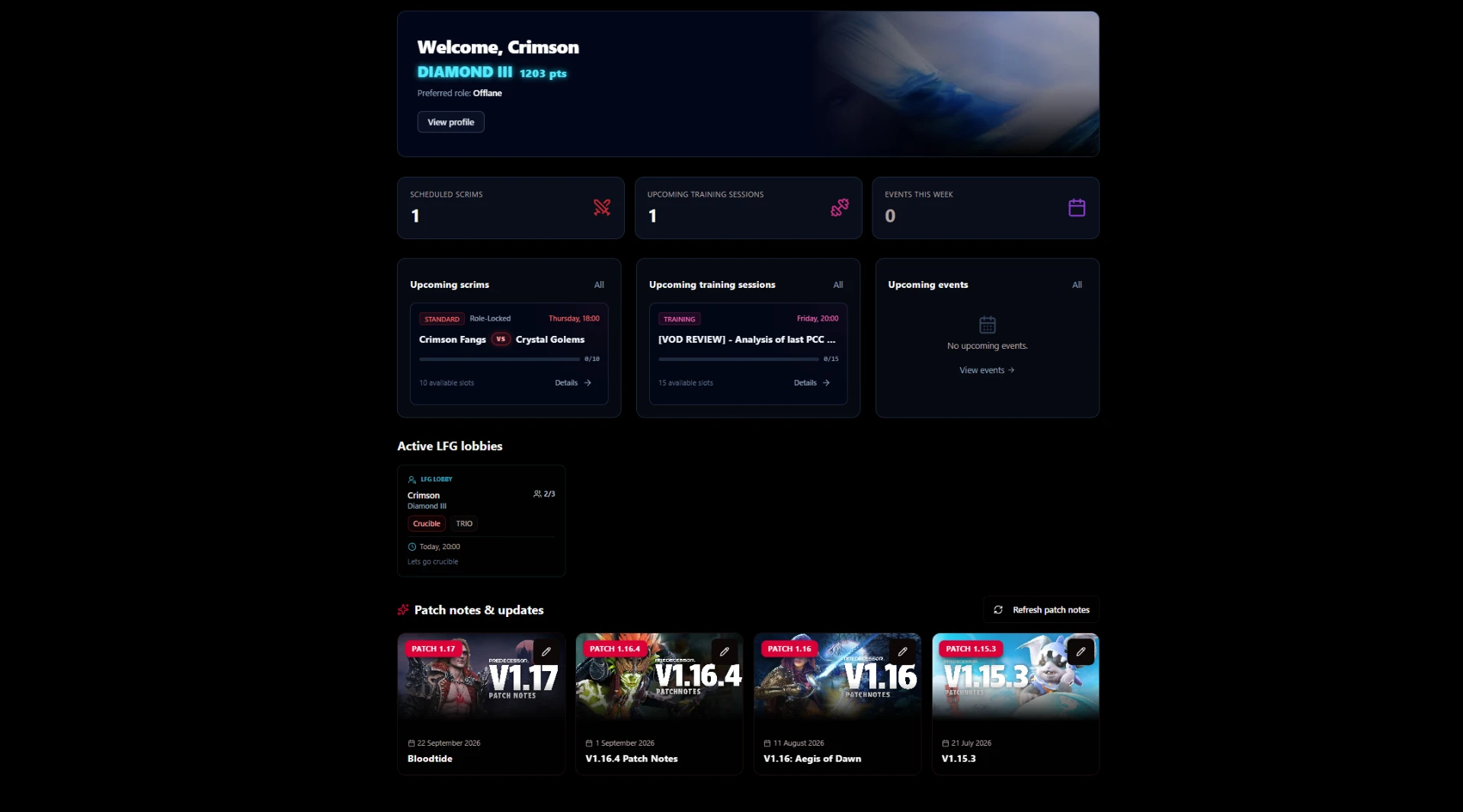
Your personalised home screen. Here you see a summary of your stats and Action cards with the upcoming events you're signed up for.
At the bottom of the Dashboard there's also a quick look at the newest open LFG lobbies, ready to join instantly! Below you will find the latest Patch Notes with change cards.
LFG system (Looking for group)
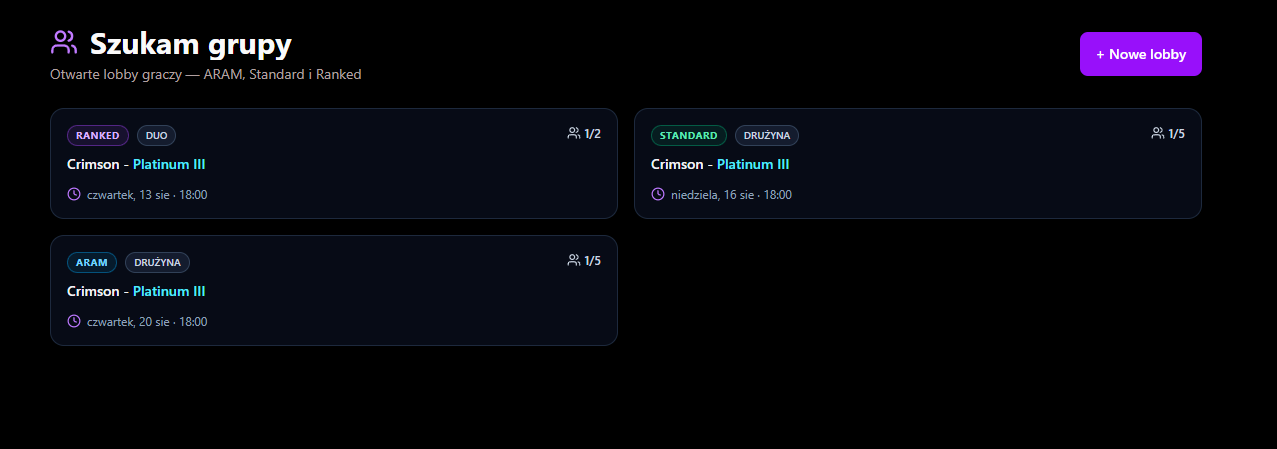
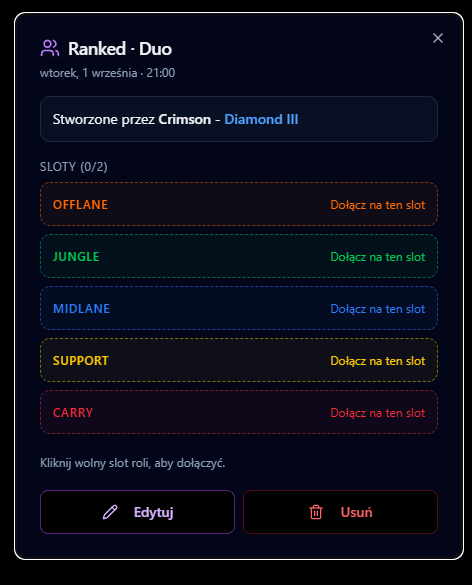
No more asking on Discord who's playing. Open LFG, see who's waiting and join on a specific role. Want to play Ranked, Brawl or Standard? Create your own lobby!
Active listings
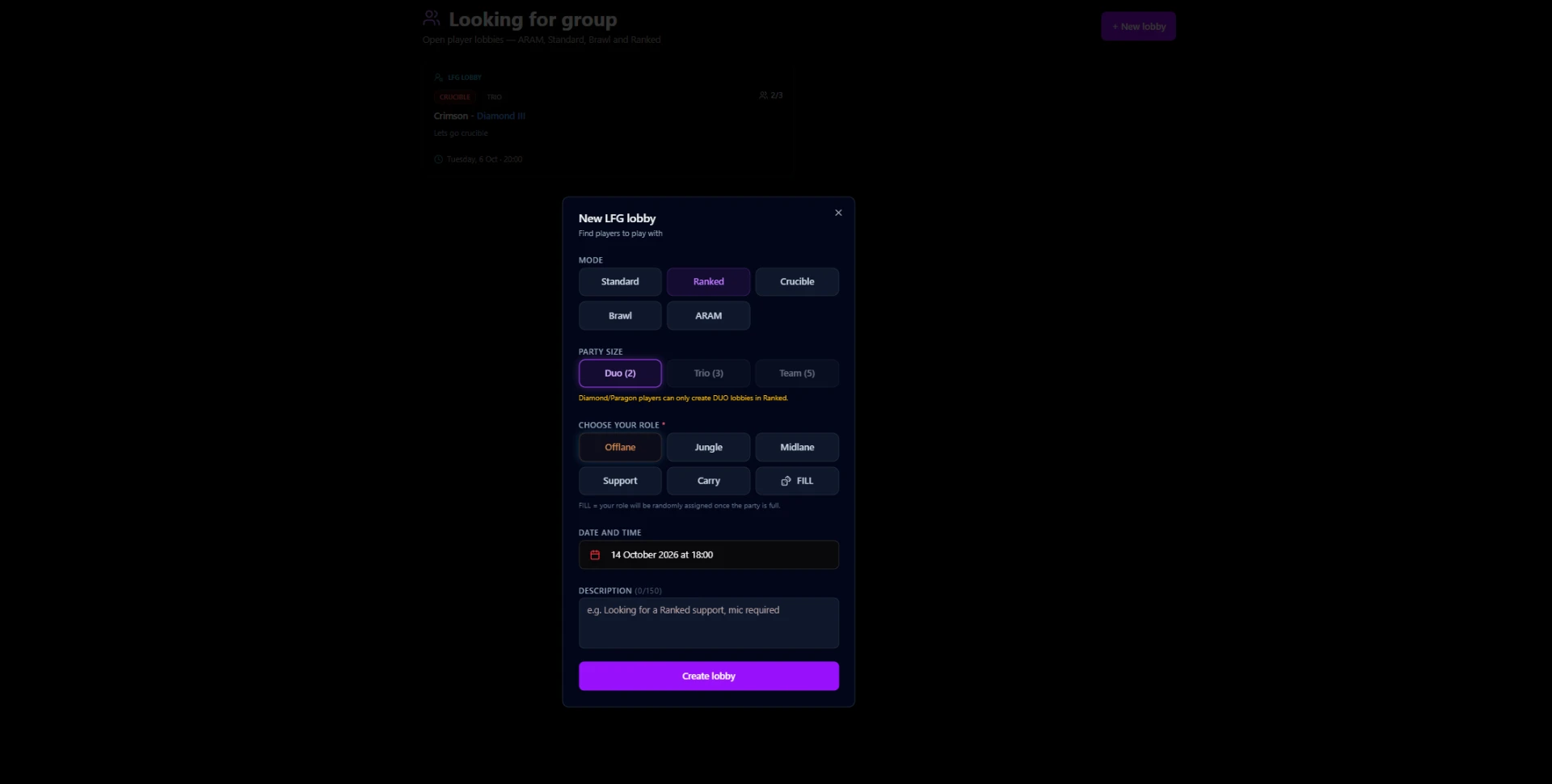
Creating a lobby
Choose a mode (Standard, Ranked, Brawl).
Choosing a role
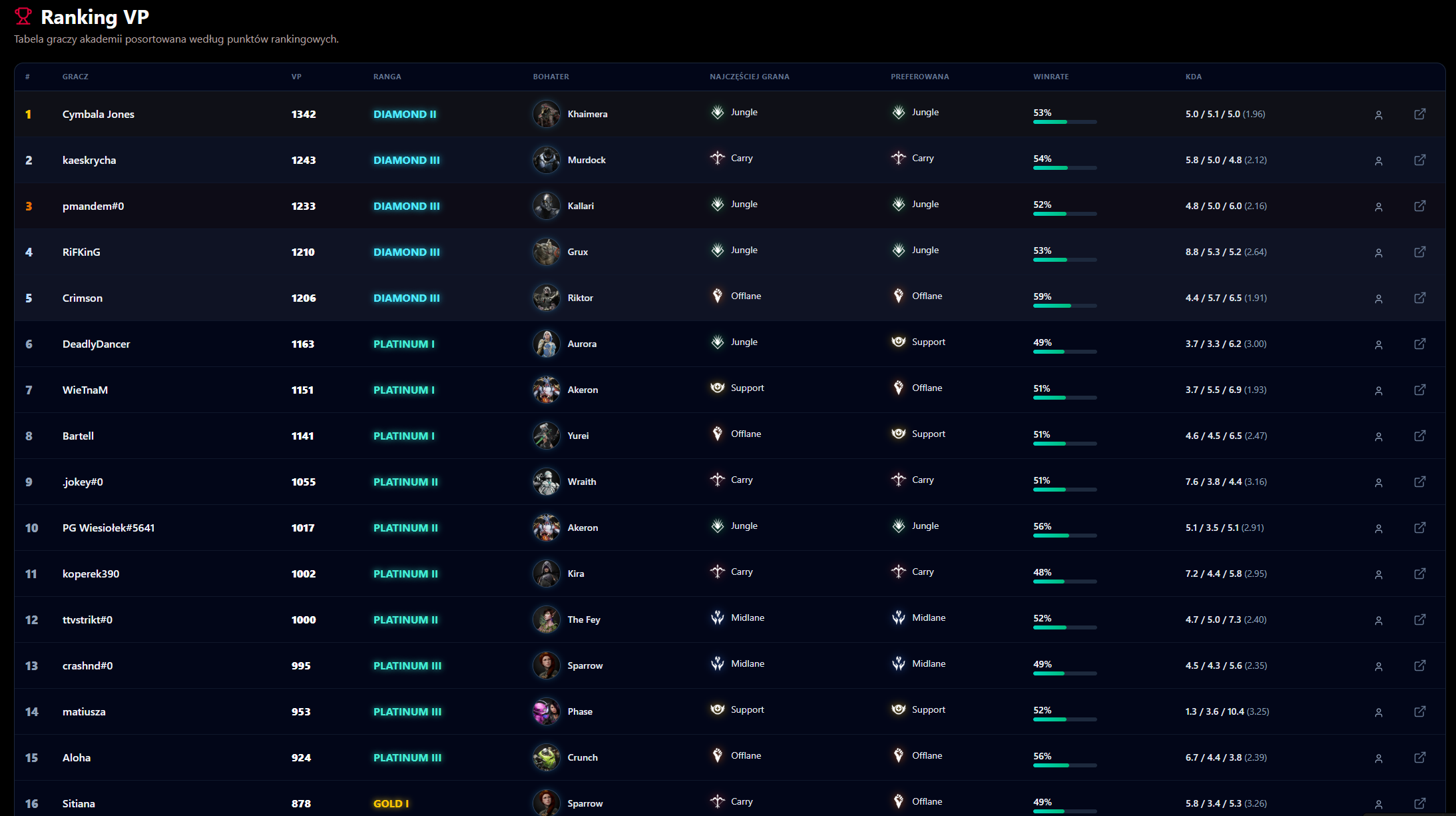
Official Crimson Legion leaderboard
A leaderboard powered directly by Omeda (pred.gg) profile data. Check the ladder of the whole Polish community on the platform.
It's sorted by ranked VP (Victory Points); ties are broken by win rate and matches played. Fight for the top spots!
Events
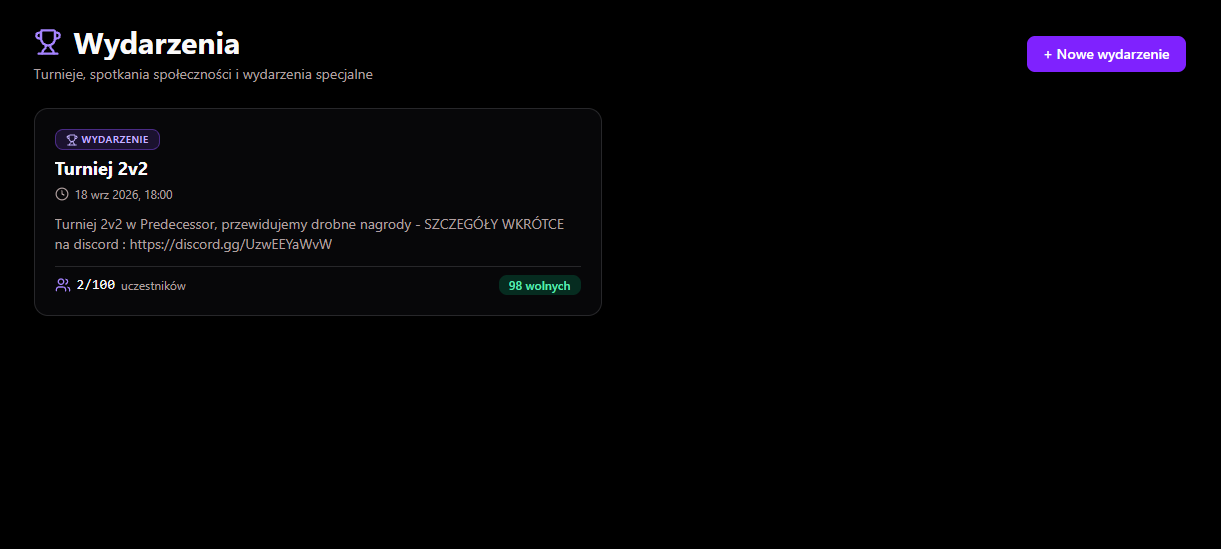
All community events in one place — browse upcoming events and sign up with one click.
Event sign-ups
Coach hub and trainings
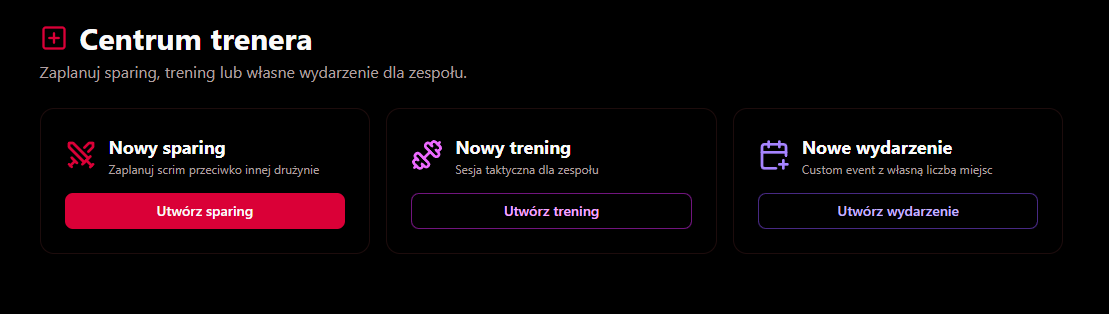
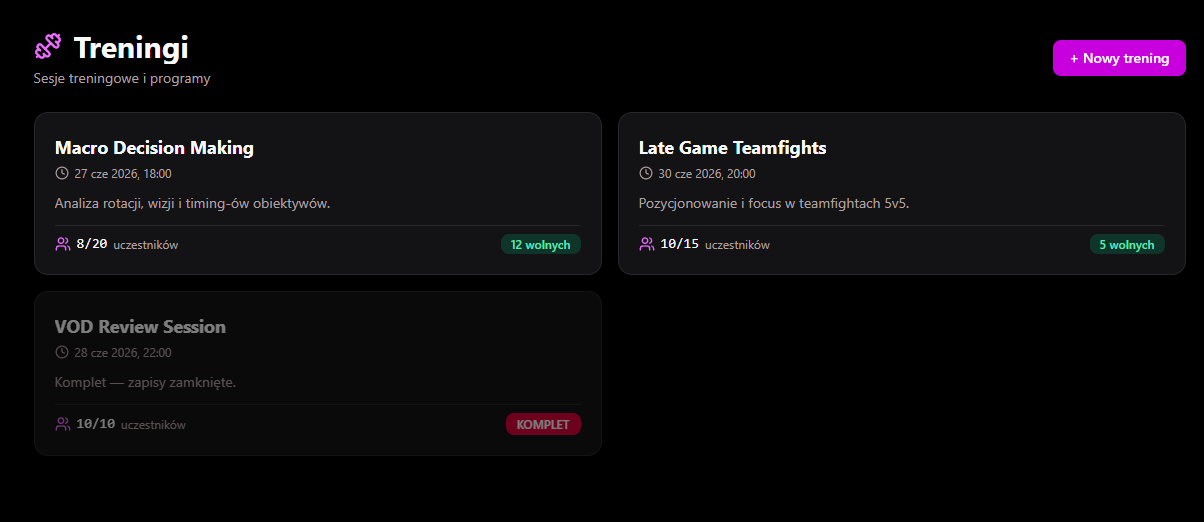
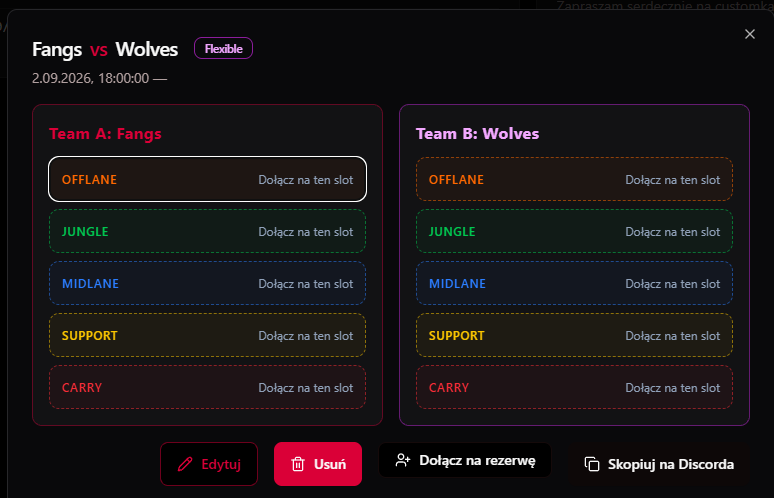
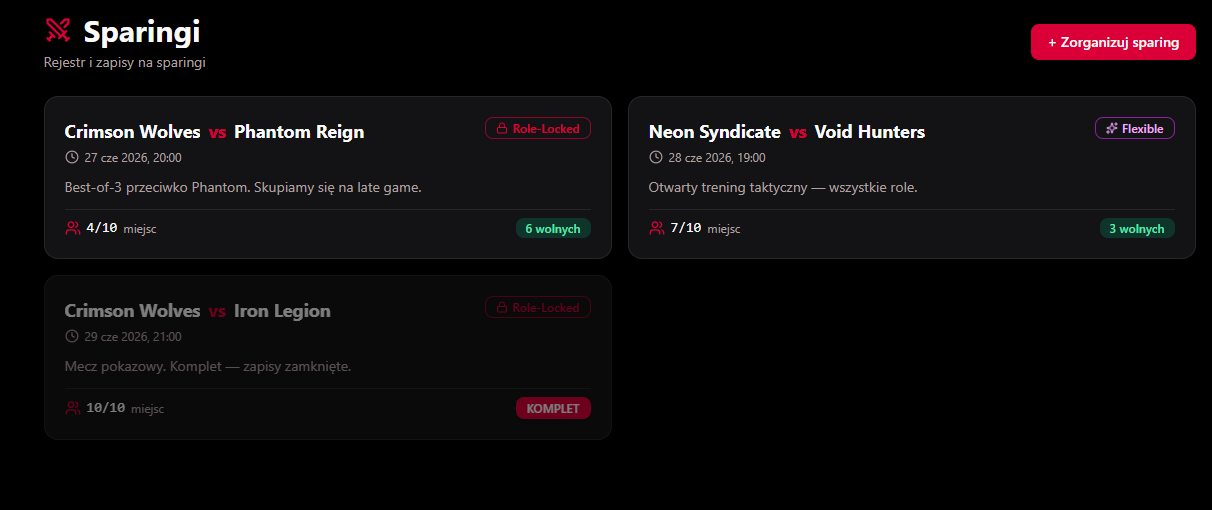
An admin section visible to the roles COACH and ADMIN. Coaches organise role-locked 5v5 scrims, training sessions with VOD review and custom events here.
Training Center
Scrims (5v5)
Static teams
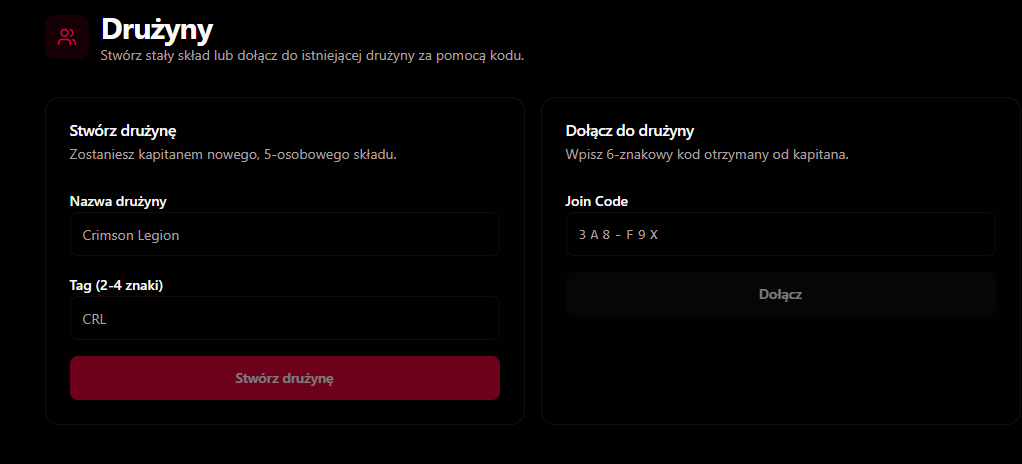
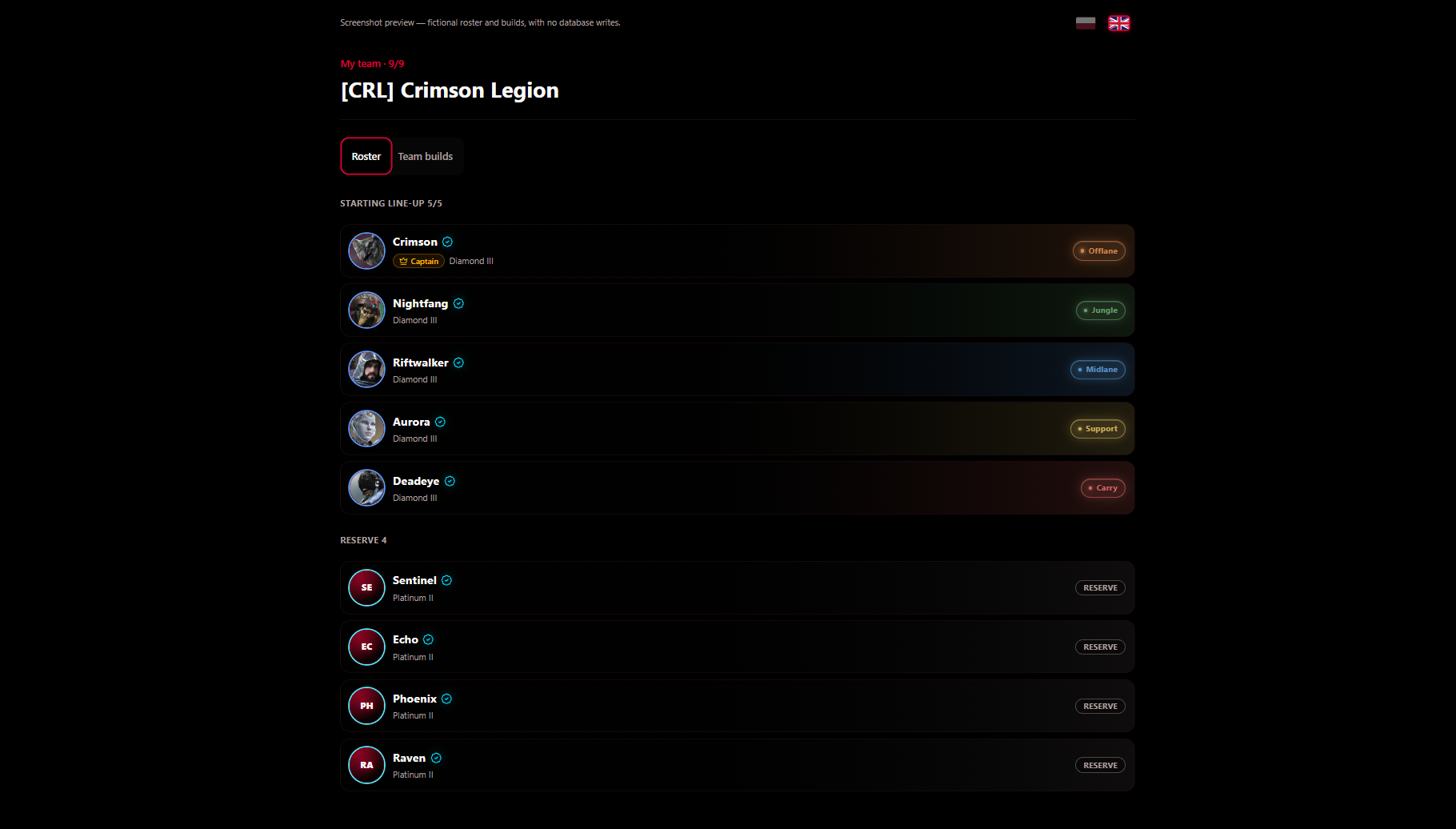
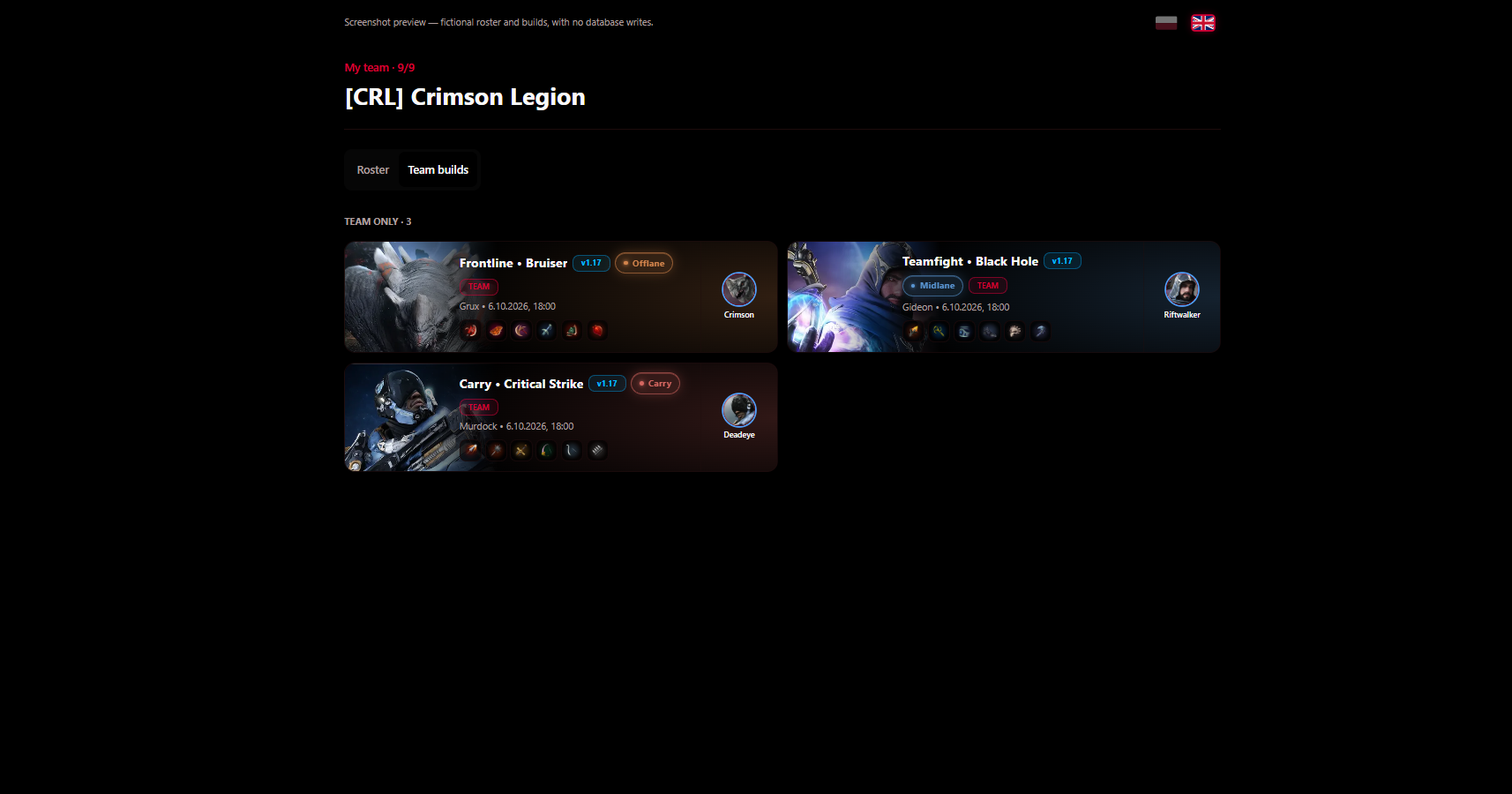
The Teams tab lets you build a permanent roster of up to 9 players: 5 main positions (Offlane, Jungle, Midlane, Support, Carry) and 4 reserve spots.
How do I create a team?
- Open the Teams tab in the sidebar.
- In the Create team card enter a name (min. 3 characters) and a tag (2–4 characters, e.g. CRL).
- After creating it you automatically become the captain of the roster.
- Copy the Join Code and send it to players — they enter it in the “Join a team” card.
Managing the roster
- Copy / regenerate code — if the code leaks, the captain generates a new one in one click.
- Kick — removes a player from the roster (captain only).
- Transfer role — hand the captaincy to another member.
- Disband team — permanently deletes the roster and its links.
- A player can belong to only one static team — leave your current one first.
- The captain drags players between the main lineup and the reserve (arrows on mobile).
- The “Team builds” tab shows builds visible only to roster members.
- Creating a team requires a verified PRED.GG account.
Tournaments and sign-ups
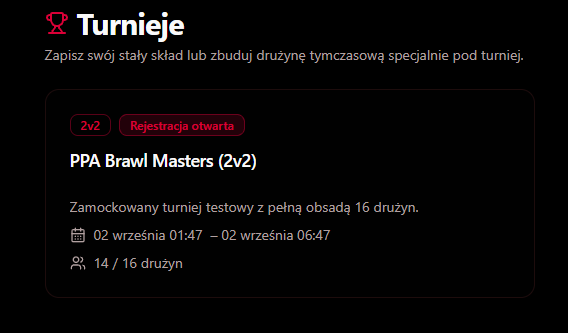
In the Tournaments tab you'll find all upcoming Crimson Legion competitions with registration status, format (e.g. 2v2 / 5v5), start and end dates and the number of registered teams.
How do I join a tournament?
- Open Tournaments and pick one with “Registration open” status.
- Choose how to register: static roster (5v5 tournaments, you must captain a full team) or temporary roster (e.g. 2v2 Brawl).
- For a temporary roster, enter a team name and tag, then send the code/invite to your partner.
- Accept three consents: tournament rules, data processing (GDPR) and streaming/VOD.
- Click Create and register — your roster will appear in the “Registered rosters” list.
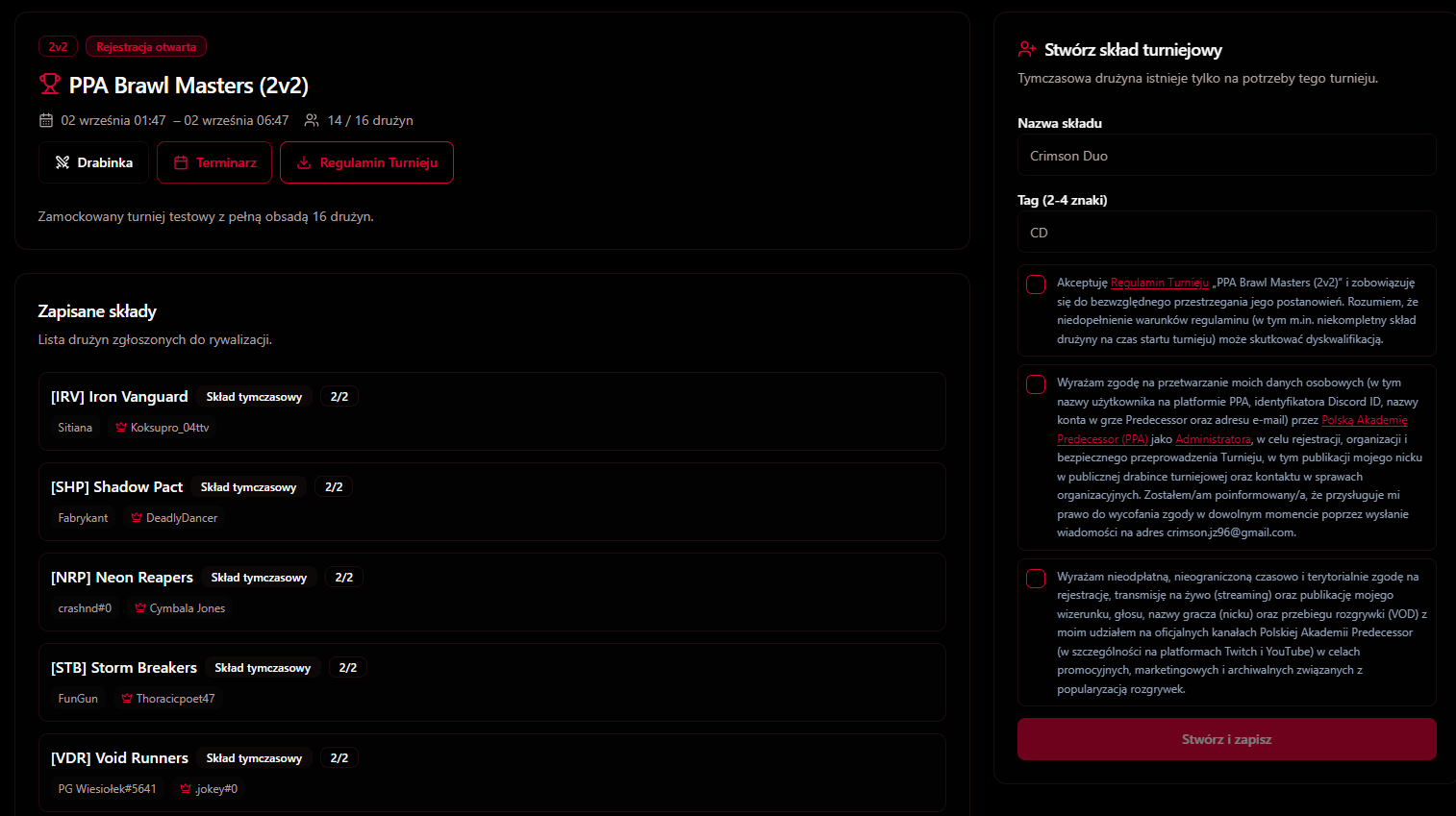
- Tournament rules — download the PDF before registering; accepting it is mandatory.
- Bracket — appears once the organiser generates it; shows pairings and results.
- Schedule — match times in Polish time; unscheduled matches go to the “To be decided” section.
- The roster must be complete before the start — incomplete teams may be disqualified.
- Match results are posted automatically to the Crimson Legion Discord with a VOD link.
Build Maker
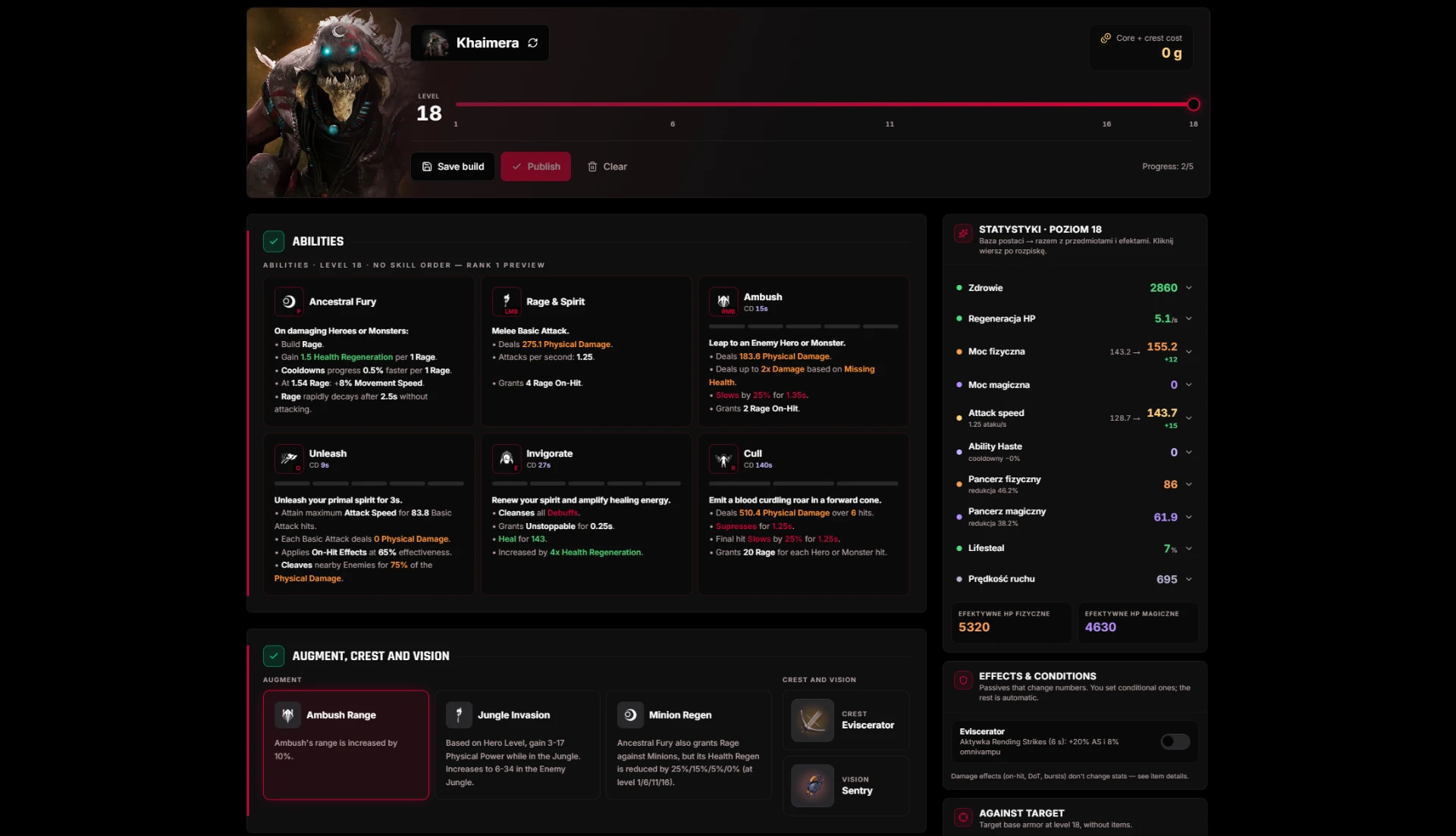
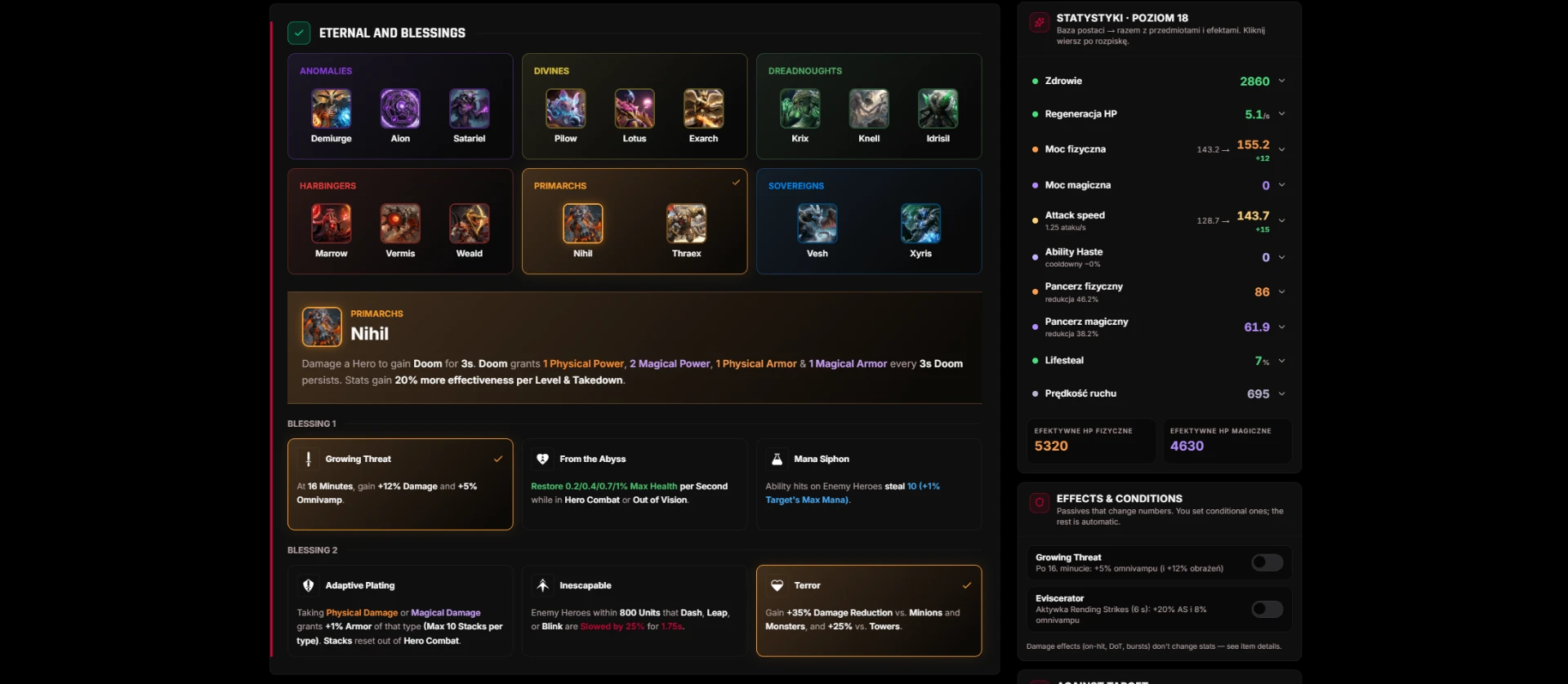
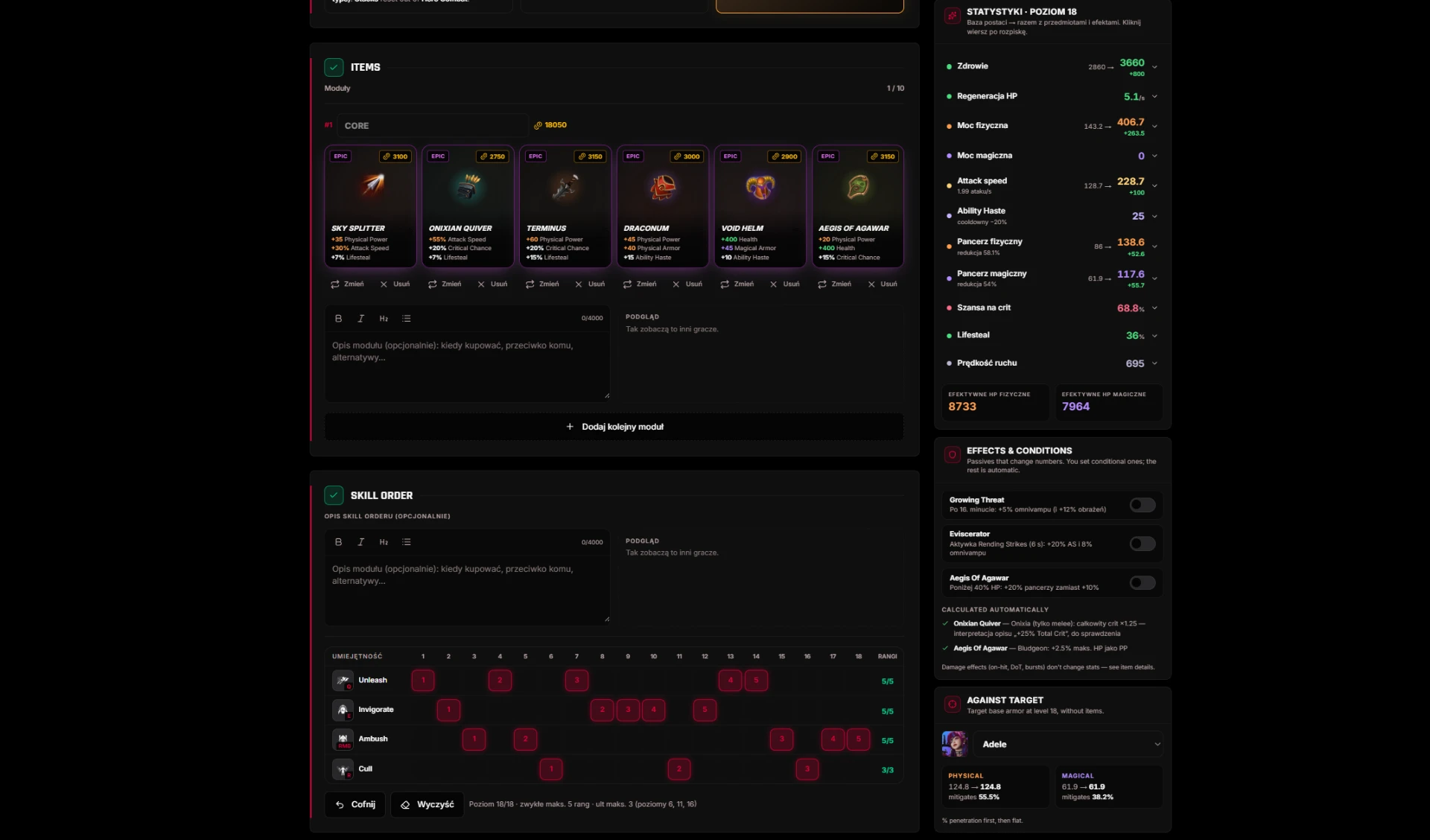
Create complete builds on a single page — each step unlocks once you finish the previous one.
- Hero → augment, crest and vision → eternal with two blessings → items → skill order.
- Up to 10 modules, each with max 6 items; extra modules can have an alternative skill order.
- A live simulator recalculates stats and ability damage based on items and level.
- When saving, choose a name, position, patch and visibility: public, team or draft.
Knowledge Base
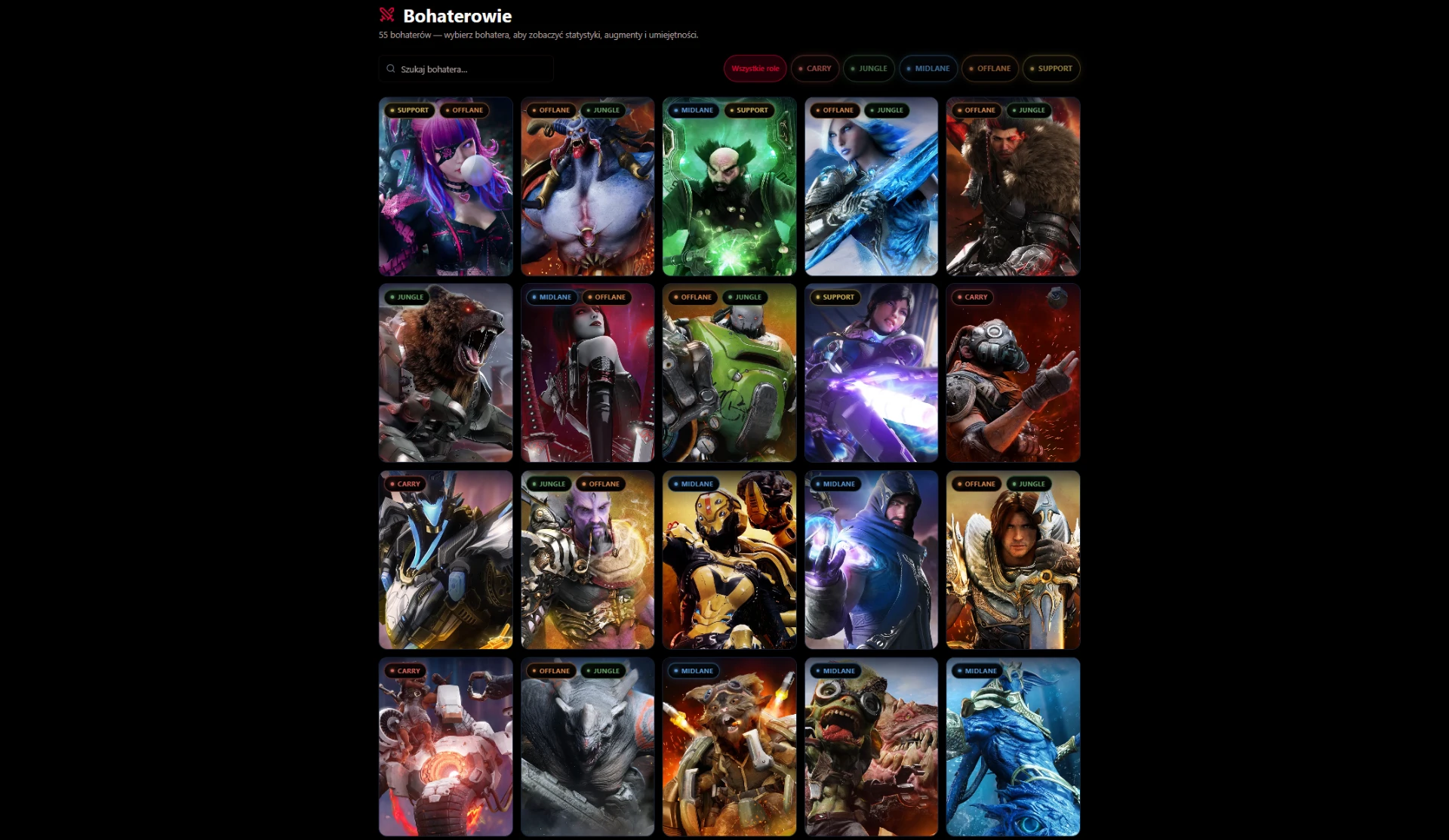
All game data synced from PRED.GG, in Polish and English.
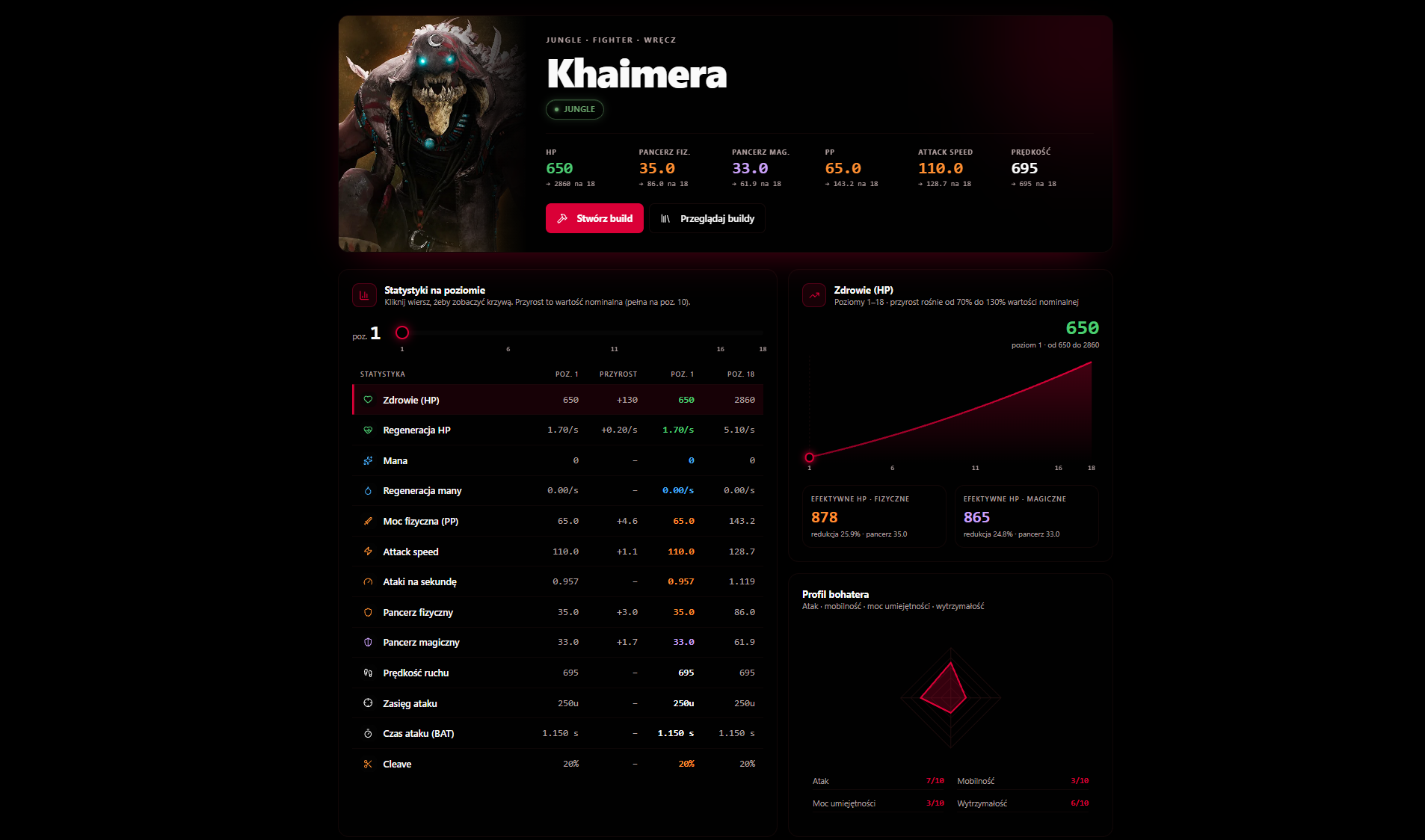
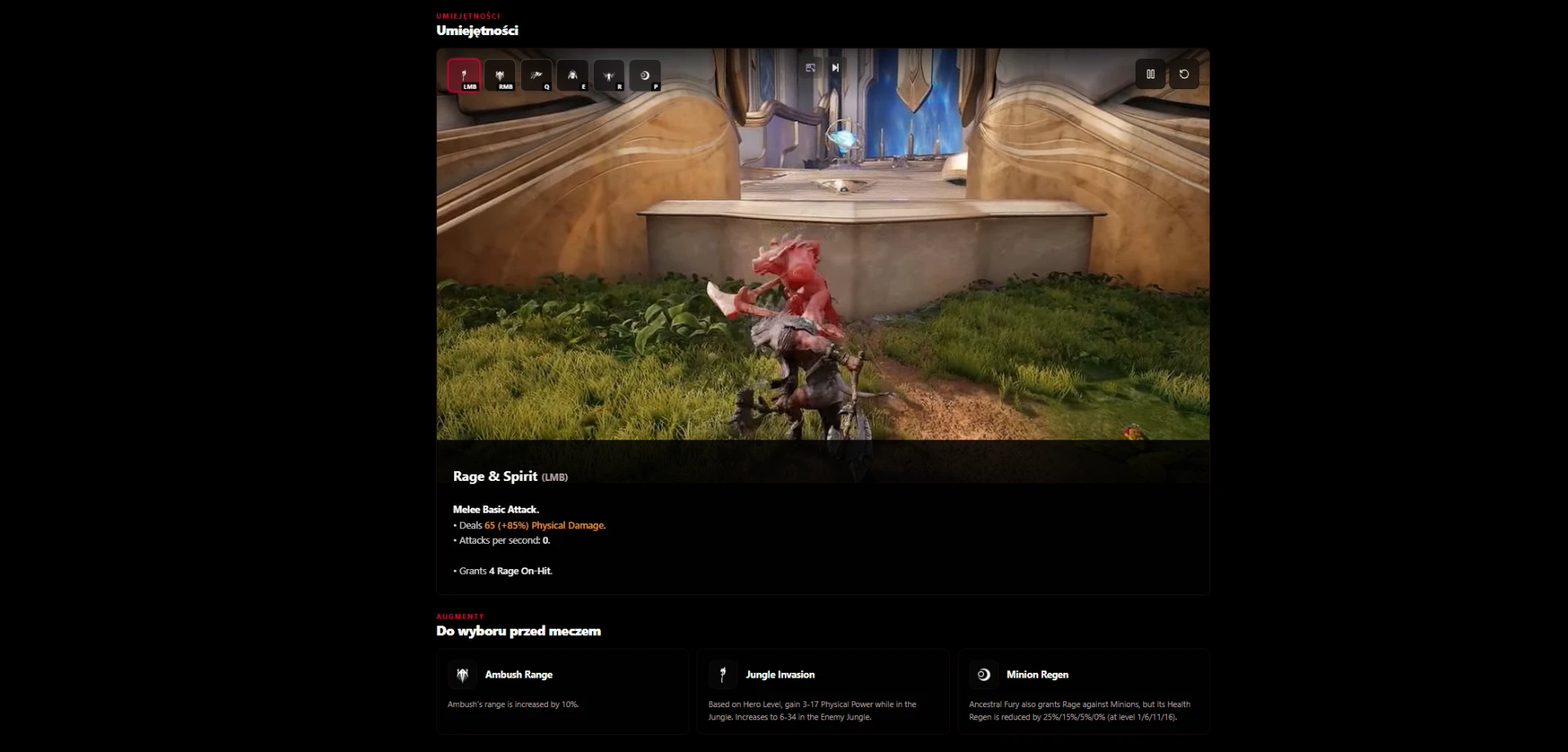
- Heroes: ability videos, calculated descriptions, stats with a level slider and a traits map.
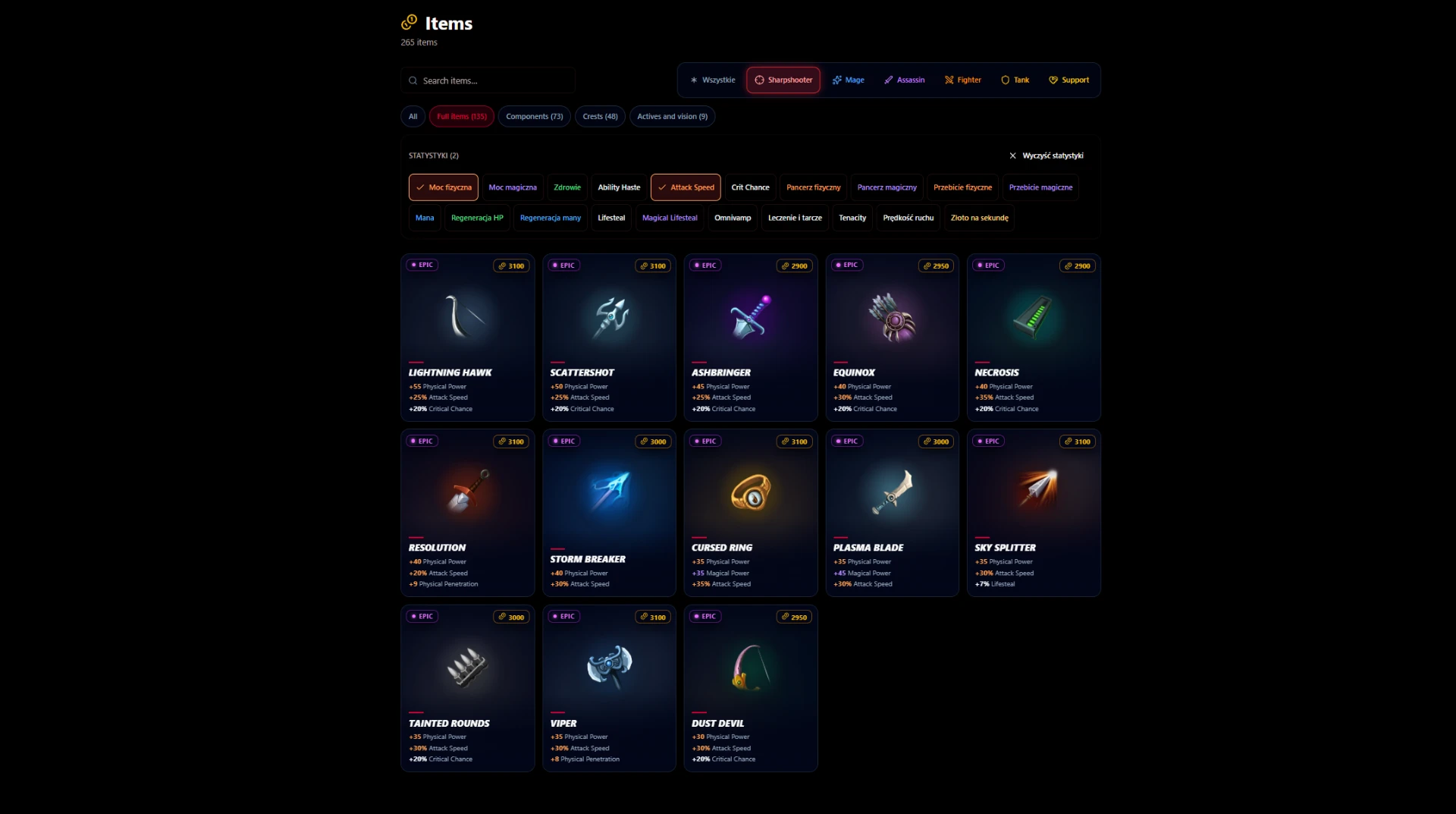
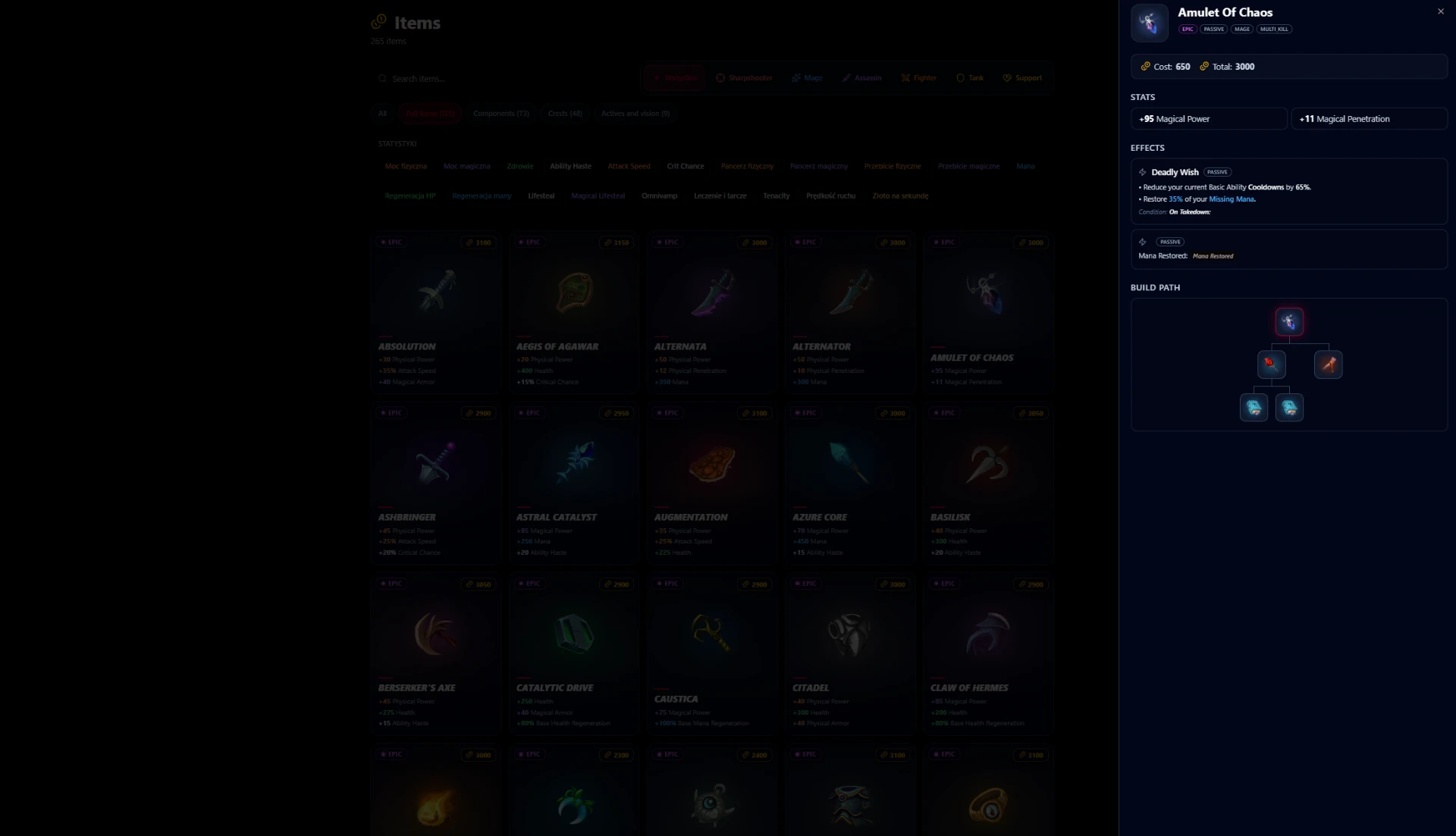
- Items: class filters and any number of stat filters combined with AND.
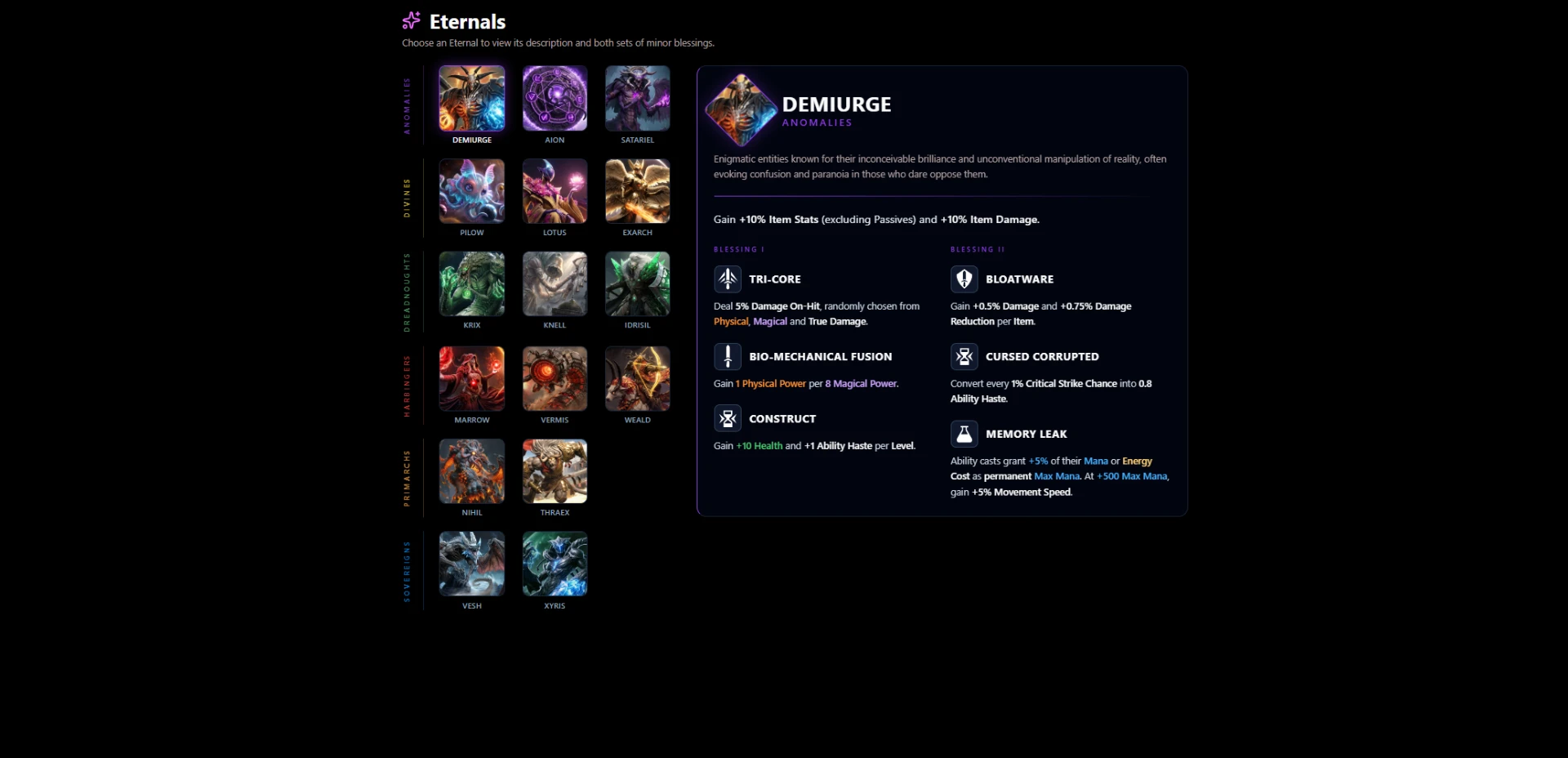
- Eternals: categories, blessings and full effect descriptions.
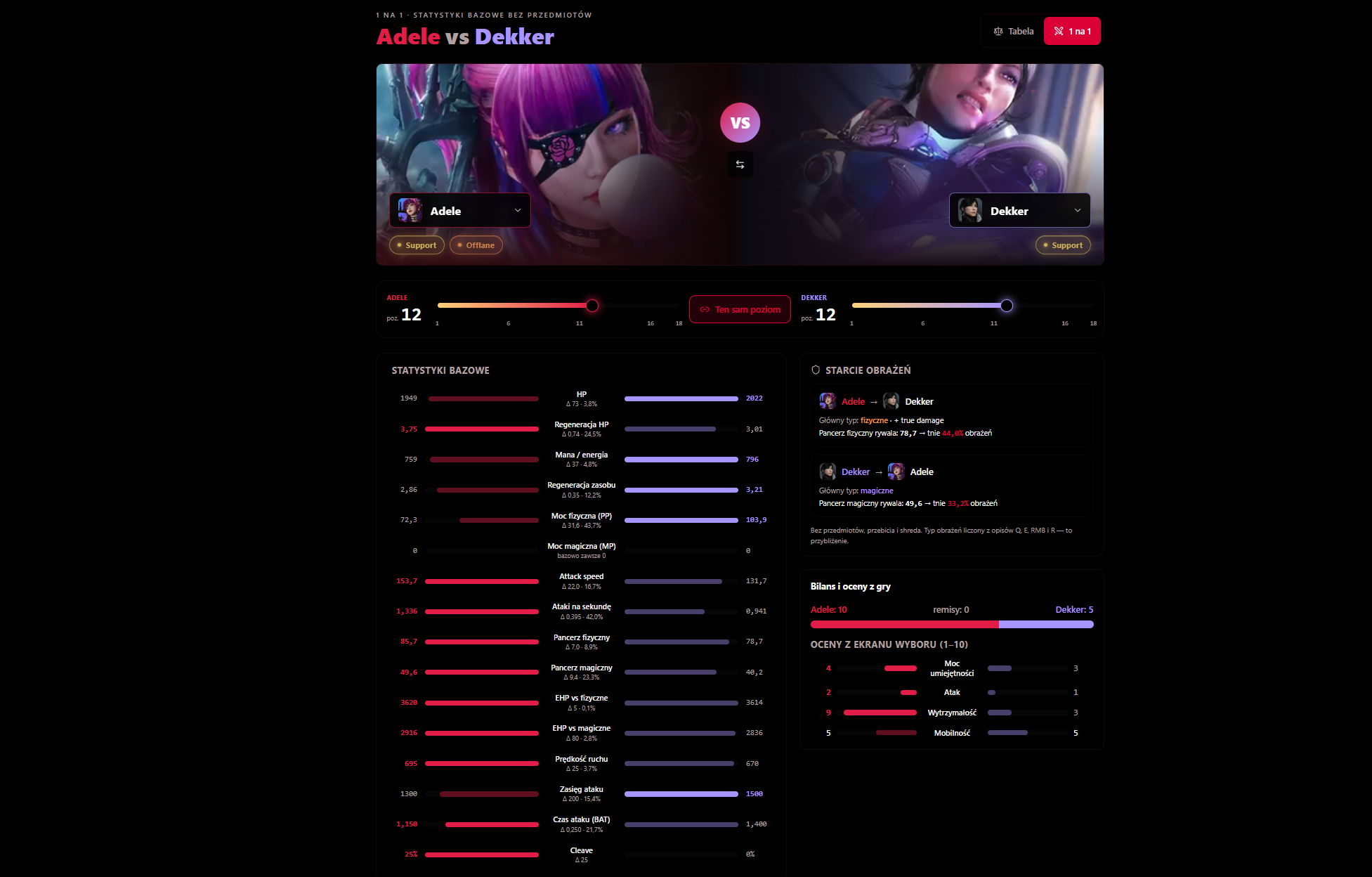
1v1 Comparison
Put two heroes side by side and see who wins the matchup.
- Stat table with level sliders synced to the page address.
- Matchup tiles, balance and strength ratings for both heroes.
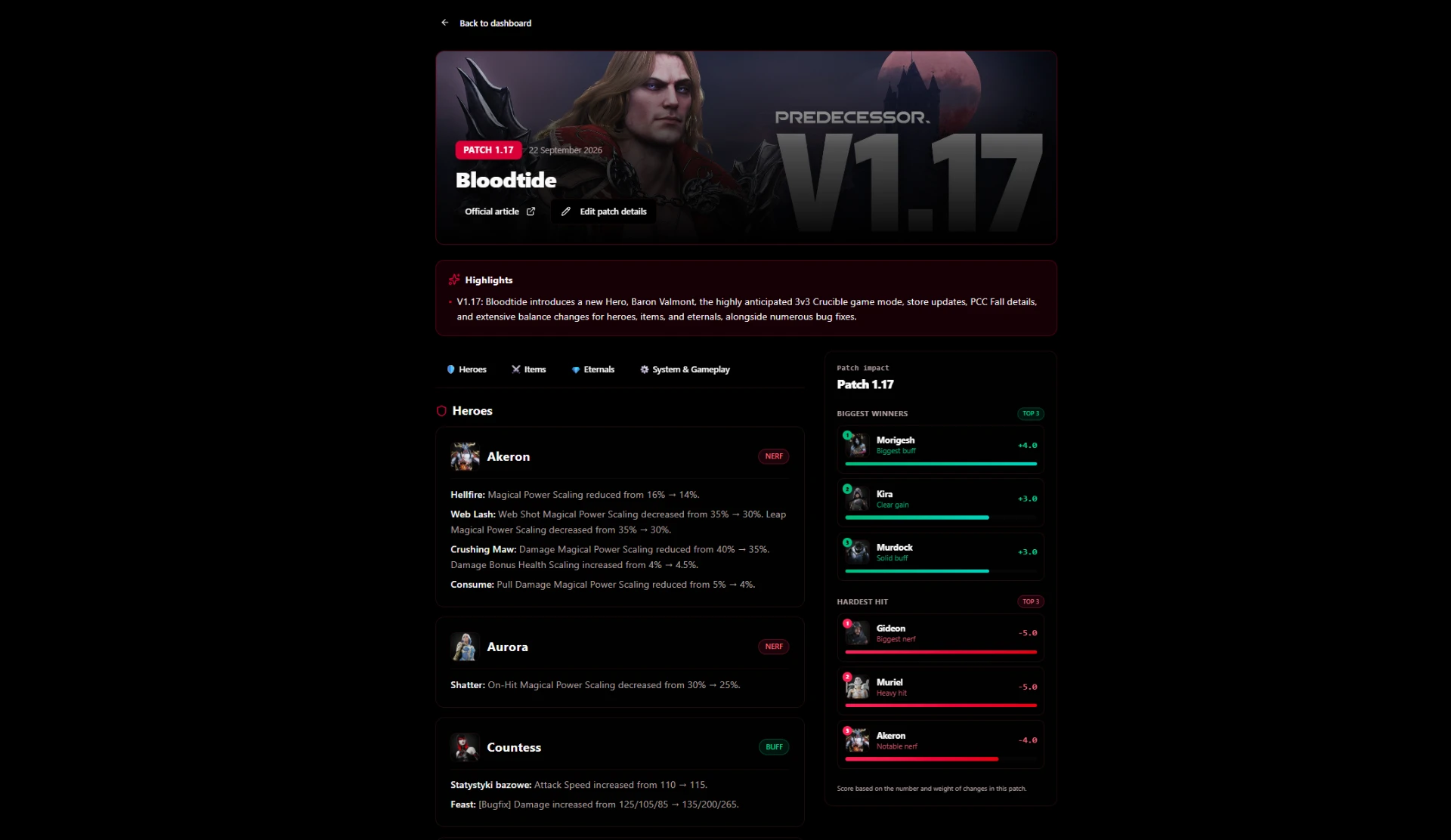
Patch Notes
The latest Predecessor updates in clear change cards.
- Buffs, nerfs and adjustments with hero and item icons.
- An update impact panel and the English version straight from the official source.
Platform language
You'll find the Polish or British flag in the side menu on desktop, in the top bar on mobile and at the top of this guide. Your PL/EN choice is remembered in this browser.
Game descriptions and localized interface sections change language together. Nicknames, team names and player-written content stay unchanged; some remaining pages are still being translated.
Join the game, create an LFG lobby and reach the top of the leaderboard!
Crimson Legion — built with passion for the Predecessor community.